Use AI to Record PDF Bills
Do your vendors send you bills in PDF format? Then you have to record them into QuickBooks?
Drag and drop the bills into KeeperTools. Let AI extract the info and fill out bill forms for you.
Upload directly into QuickBooks, or download as Excel, CSV, or JSON file for custom processing.
1. Drag and drop PDF bill from vendor.

2. KeeperTools fills out a bill form for your review. Expense categories will also be chosen for your review.
Choose 'Simple' to create single-line bill.
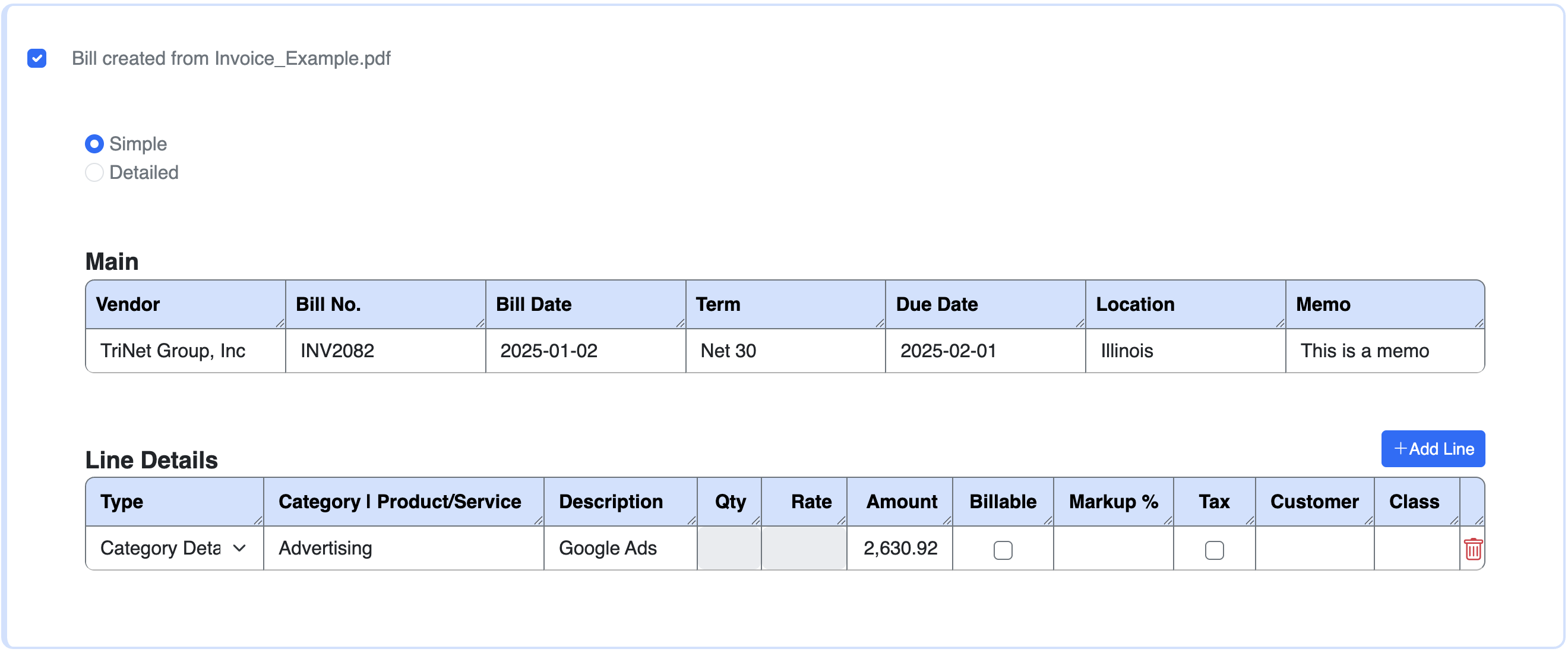
Or, choose 'Detailed' to create itemized bill. Each line is based on the line items from the bill.
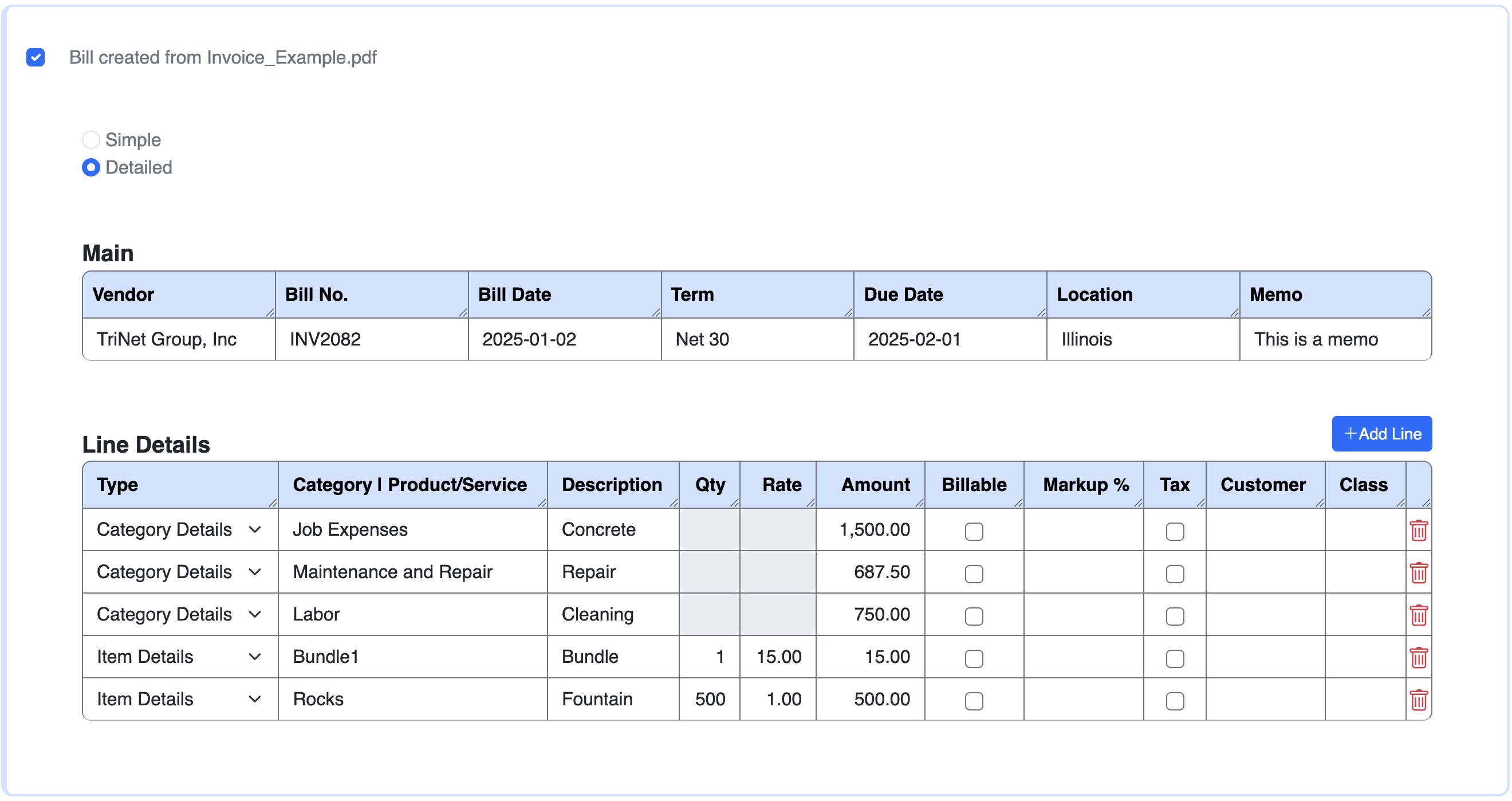
Edit the form if you wish.
3. Upload directly to QuickBooks, or download as Excel, CSV, or JSON file for custom processing.
